 Previzion
Previsualize a scene from the script
Previzion turns a few lines into a storyboard, builds the 3D scene, moves the cameras and renders the sequence as an MP4. You direct, it does the setup.
macOS (Apple Silicon) · Windows · Free, with 100 Viz on every new account · all buildsEverything between the script and the first render
One app, four pages. Each one hands the next what it needs.
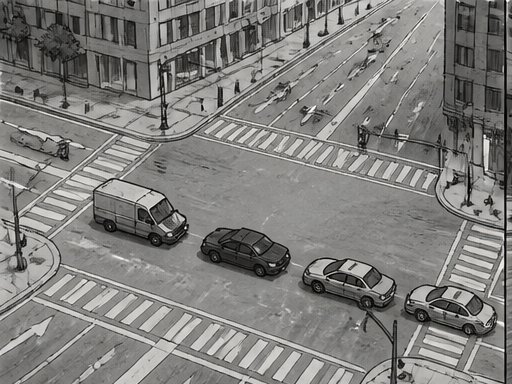
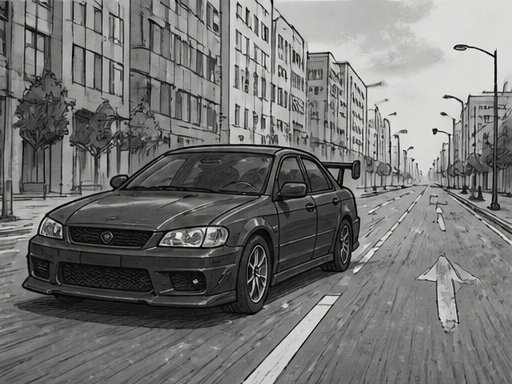
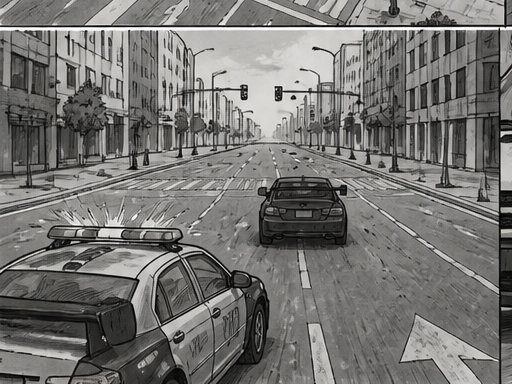
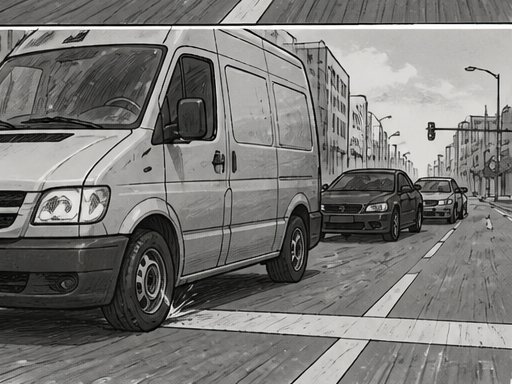
Storyboard from a script
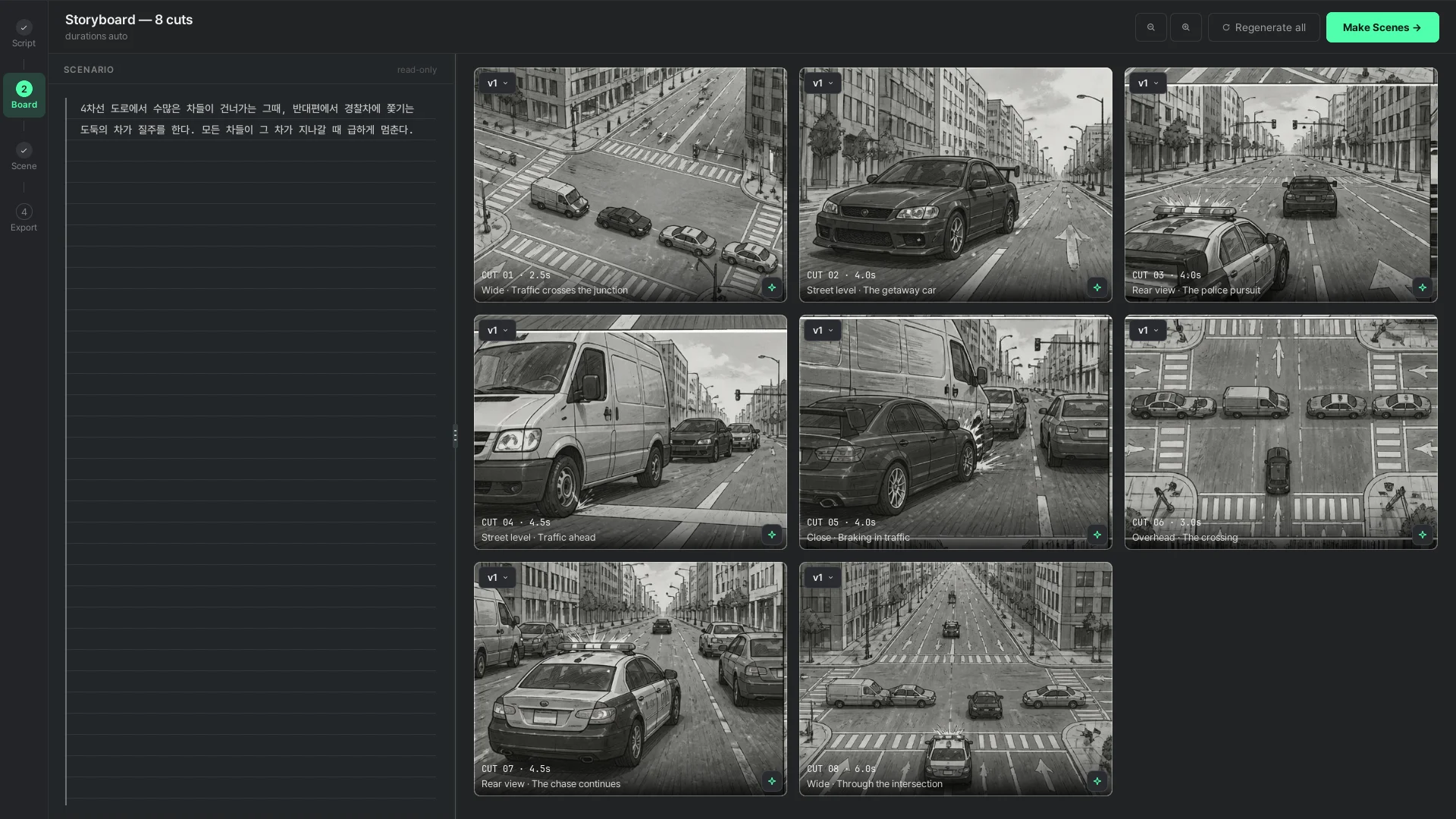
Cuts drawn one by one, each with its framing and a line of direction. Regenerate one, keep the rest.
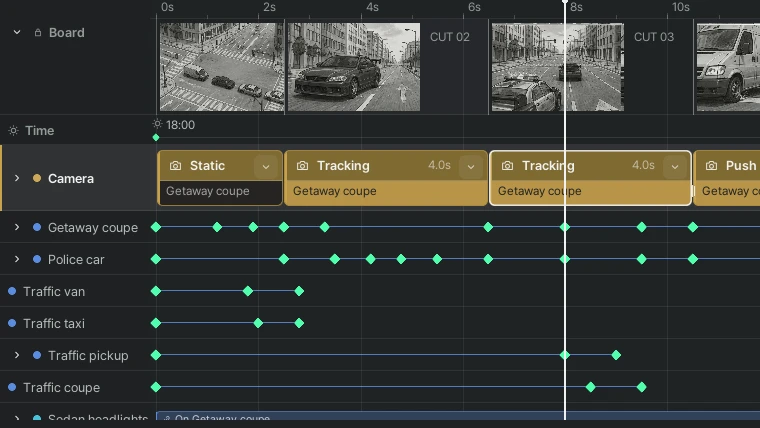
Cameras & timeline
Eleven camera moves, from a Static shot to Tracking and Boom. Pick what to film, then shape every shot with editable blocks and keyframes.
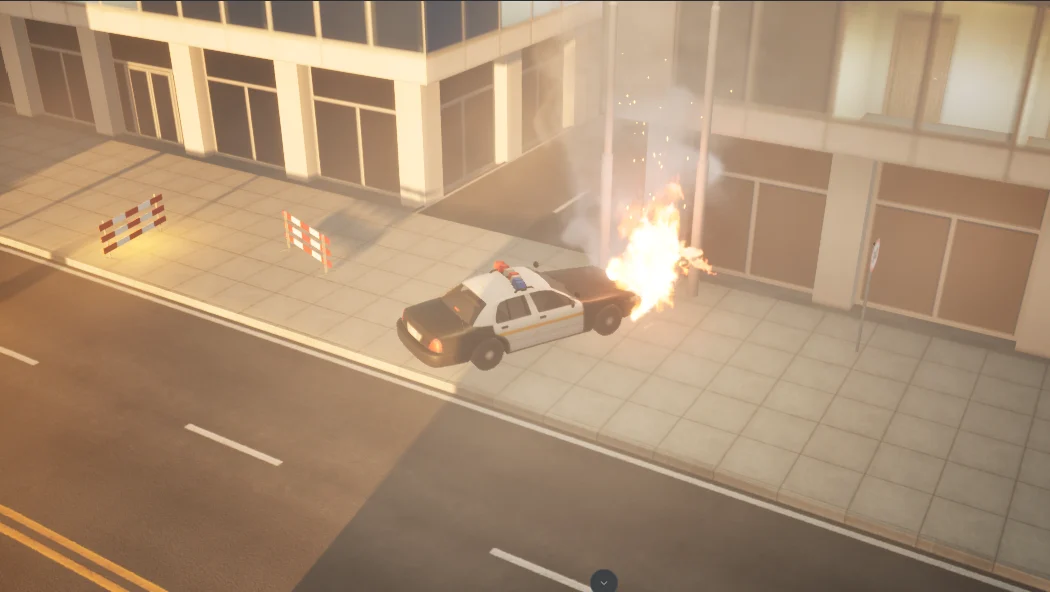
VFX, right on cue
Fire, smoke, sparks and atmosphere. Place effects in the scene and time their start and finish on dedicated tracks.
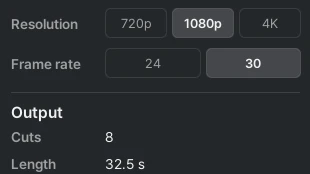
Export up to 4K
From cinematic 24 fps to smooth 60 fps, as an MP4 at 720p, 1080p or 4K.
Share on the board
Put your finished movie on the board for everyone to watch. Upload it again and it stacks up as a new version.
100 Viz when you sign up
Only AI generation spends Viz; editing and rendering are free. 100 Viz make about three videos.
From a script to storyboard cuts
Each cut comes with its framing, its camera move and a line of direction. Edit one, regenerate it, keep the versions you like.
- Cut by cut, in order
- Regenerate a single cut without touching the rest
- Every version kept
4차선 도로에서 수많은 차들이 건너가는 그때, 반대편에서 경찰차에 쫓기는 도둑의 차가 질주를 한다. 모든 차들이 그 차가 지나갈 때 급하게 멈춘다.
CUT 01CUT 02CUT 03CUT 04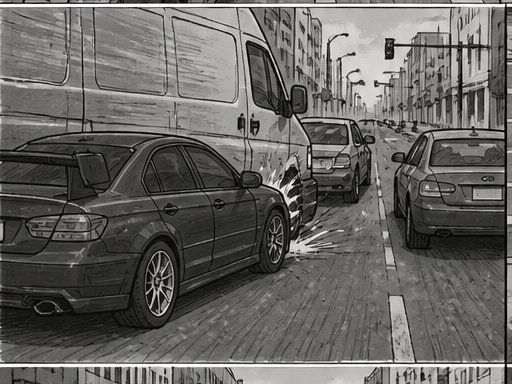 CUT 05
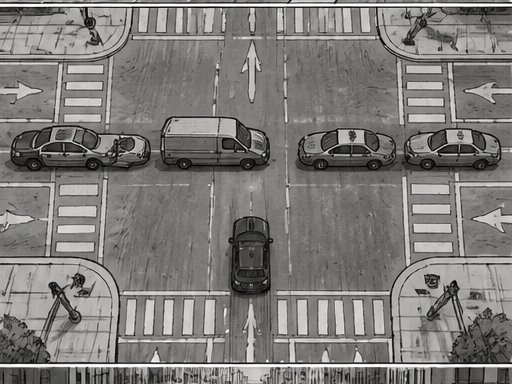 CUT 06
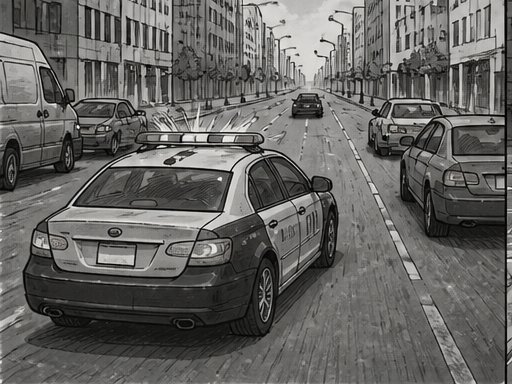 CUT 07
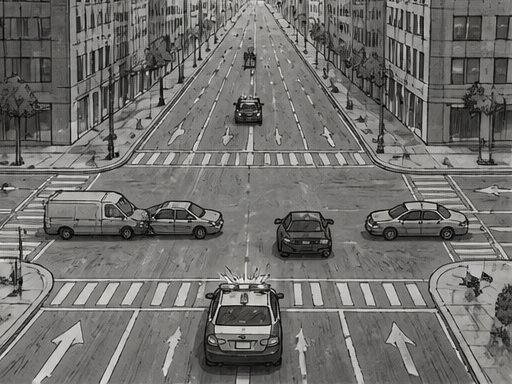 CUT 08
Direct the cameras, don't animate them
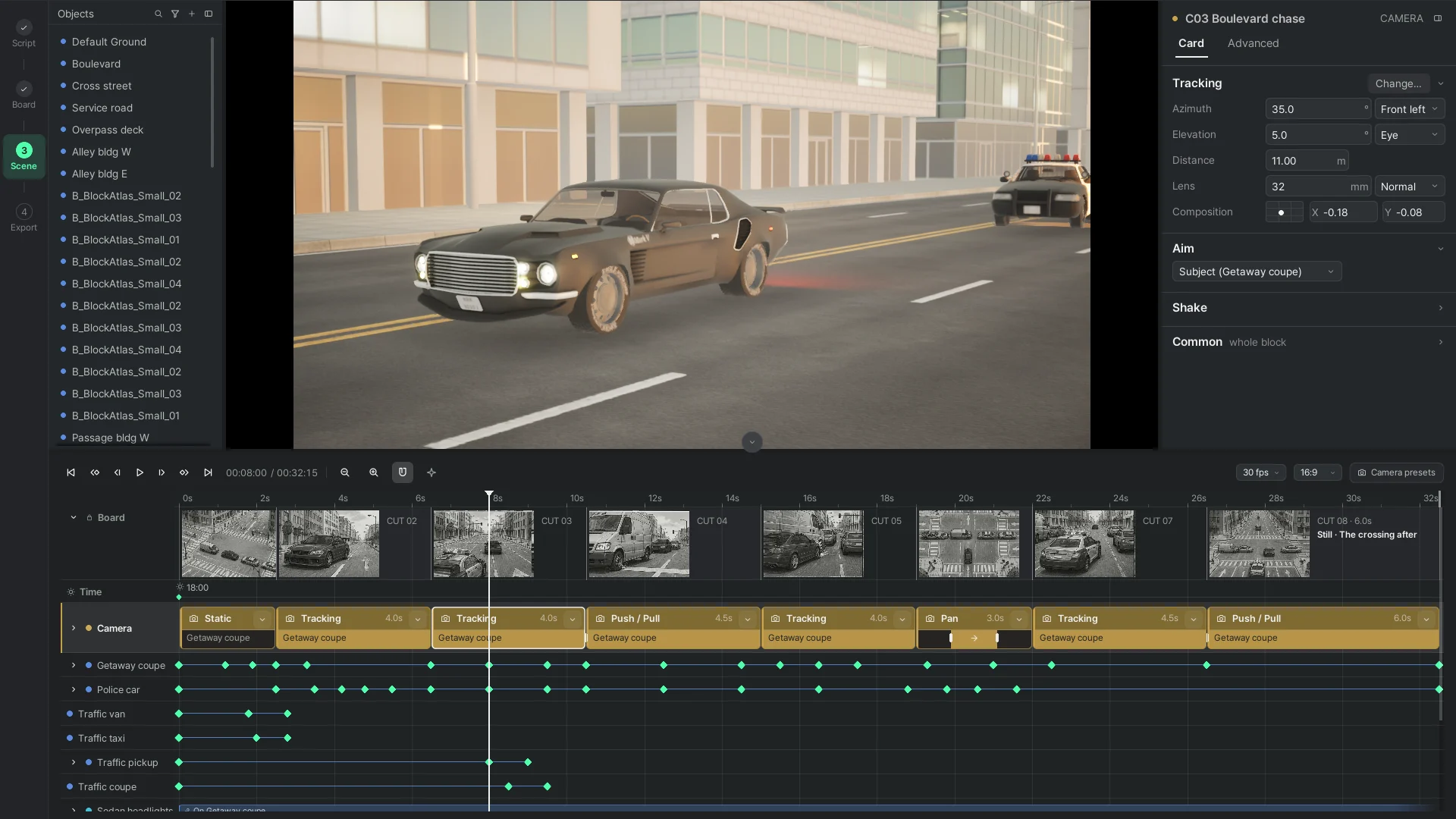
Pick one of eleven moves and what to film, and the camera moves on its own. It keeps up even with a speeding car. To fine-tune it, adjust it yourself on the Advanced tab.
- Boom shots that rise like a crane, Rail shots that glide past on a track
- Handheld, vehicle and impact shakes
- Keyframes you can grab on the timeline
The board becomes a 3D scene
One click on the storyboard page. The model reads the cuts, stands the city, the cars and the people, and lays a camera block per cut on the timeline. From there every block, key and object is yours to drag.
Share what you made
Upload from the app with one button. Watch what others made, with its storyboard and scenario beside it, and leave a like.
- Movie, storyboard and scenario together
- Versions, likes, views
- One page per take, one per person
Four pages, in order
Script
A prompt, a few lines or a whole script. Pick the look and the length.
Storyboard
Cuts are drawn one by one. Ask for another take and the old one stays as a version. Spends Viz
Scene editor
Make Scenes builds the 3D scene. Every cut gets a camera block; drag any keyframe. Building spends Viz, editing does not
Preview & Export
Play the shot cameras, export an MP4 up to 4K, upload to the board.
Questions people ask first
Is Previzion free?
Yes. The app is free; only AI generation spends Viz. The 100 Viz you get when you sign up make about three videos. Paid plans come later; see Pricing.
What spends Viz?
Generating a storyboard, regenerating a cut, making the scene from the board and asking the model to change it. Downloading, editing by hand, rendering on your machine and the board never do.
Does my Mac support Previzion?
Previzion supports Macs with Apple Silicon. Check Apple menu › About This Mac › Chip, then choose the Mac download. Intel Macs are not supported.
Do I need an account to download?
Yes. Sign in with Google, pick a nickname, and choose the Mac or Windows download. We use your verified Google account identifier and email.
Where do my projects live?
On your machine, as .pvz files. Uploading a movie to the board also sends the project file to the server. When you send feedback from the app, the open project file is attached unless you untick it.
Where is the user guide?
Under Help: installing, the four pages, the timeline, cameras, shortcuts and what to do when something goes wrong.
Does it run offline?
Editing, cameras and export run on your machine. Generating storyboards and scenes, asking the AI for changes and uploading to the board need a connection.
Get Previzion
Sign in with Google, pick a nickname, download. 100 Viz come with the account.